
STYLIZED DOOR GENERATOR
The primary goal of this project was to create a stylized door tool, that generates 3D door assets procedurally i Houdini.
This project was created during a 2-week period (spring 2026).
Unreal Engine 5 - Door Showcase
PROJECT OVERVIEW
The objective of this project was to develop a tool for the 3D asset pipeline that helps create multiple asset variations to improve production efficiency.
The primary features of the door tool include:
-
Fully procedural stone arches and door planks.
-
Integration of imported custom meshes on the door surface.
-
A detailed parameter UI for simplified asset customization.
-
Generation of curvature masks for custom arches within Houdini.
A castle and various smaller props were modeled in Blender and assembled in Unreal Engine to demonstrate the doors within a game environment.

TOOL BREAKDOWN
The tool operates by procedurally generating the planks and stone arch around the door entirely within Houdini. To provide customization options, such as arch shape, number of stones, and their placement, the stones are modeled directly within the program rather than using custom mesh inputs.
To demonstrate the suitability of this tool as a pipeline option in collaboration with 3D graphics artists, I have included the capability to import custom 3D meshes for use as surface details.
These assets include:
-
Bolts
-
Door Handles
-
Bars
-
Windows
-
Lanterns
If additional assets are desired, the tool can be easily expanded to include multiple variations of any asset within the generator.
TECHNICAL BREAKDOWN - ARCH
The arch and the door utilize the same base plane for spawning planks and stones, ensuring that any adjustments to the door scale or arch shape parameters are reflected simultaneously in both elements.
The arch is created by beveling the plane and extracting the primary edge. This edge is then resampled and modified using an Attribute VOP, which introduces randomization to the point positions using noise.

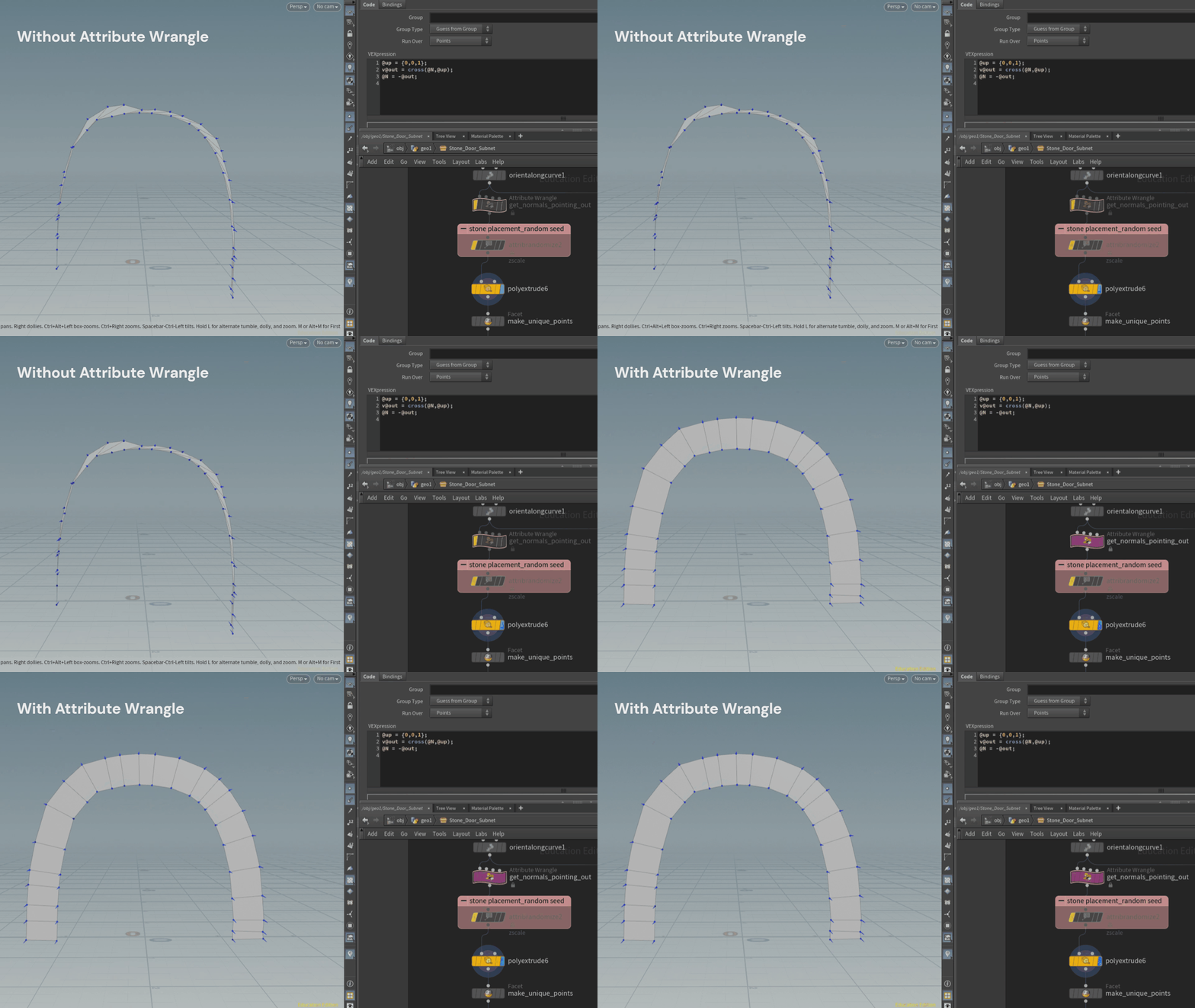
The next step involved extruding planes outward from the line to serve as the base for the stones. To ensure the extrusion was directed outward, I added an Attribute Wrangle that adjusted the normals accordingly.
Inside the Attribute Wrangle, I calculated the cross product between the normals and the up vector, resulting in a vector pointing toward the center of the object. To finalize the calculation, I inverted the result by adding a minus sign in front of the out vector.
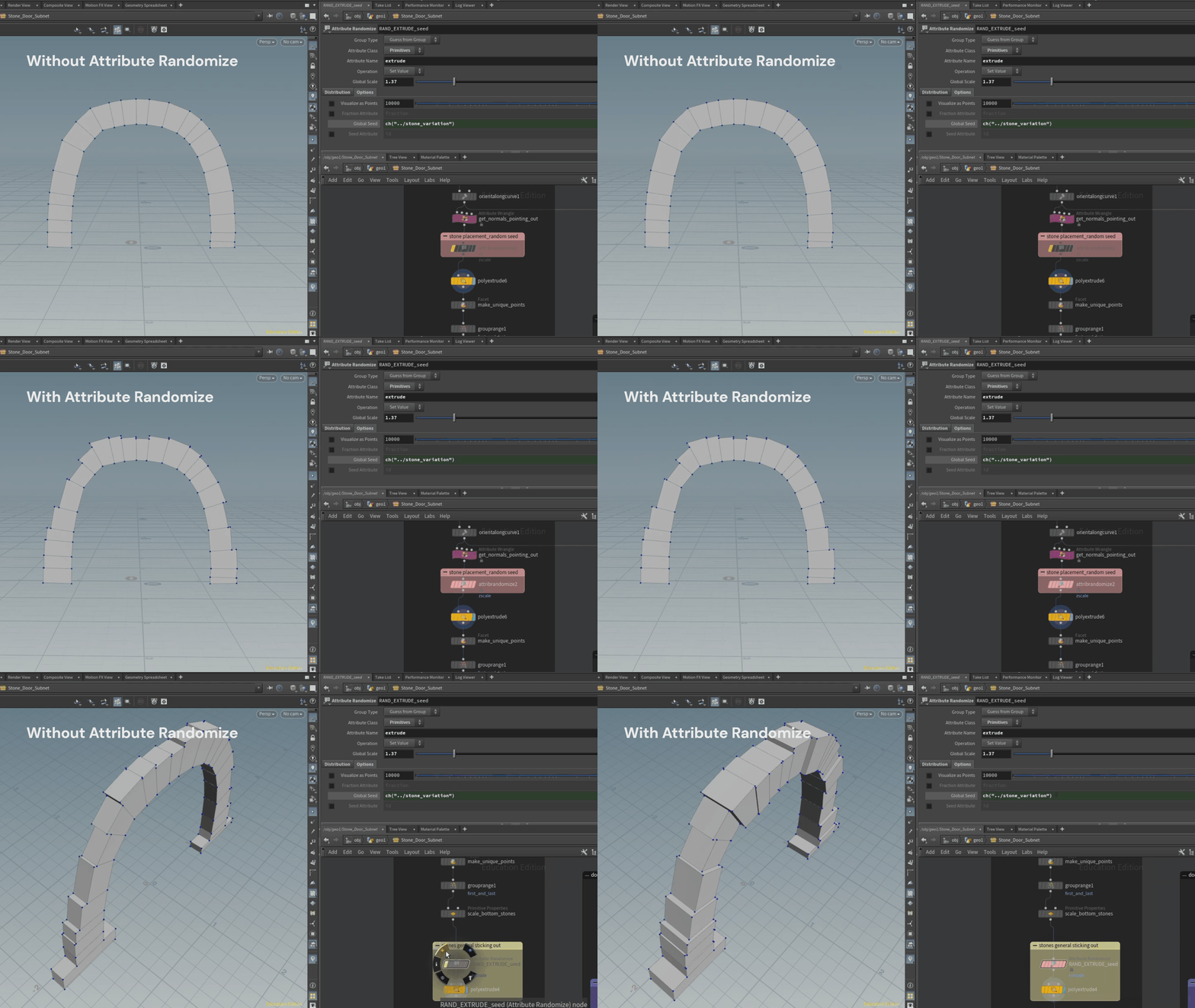
To achieve a more varied appearance in the stones' scales, I use an Attribute Randomize node to vary the "zscale" attribute, resulting in each stone having a different width.
Similarly, I applied the same technique to the "extrude" attribute to introduce randomness in the stone thickness when generating the volume shape.
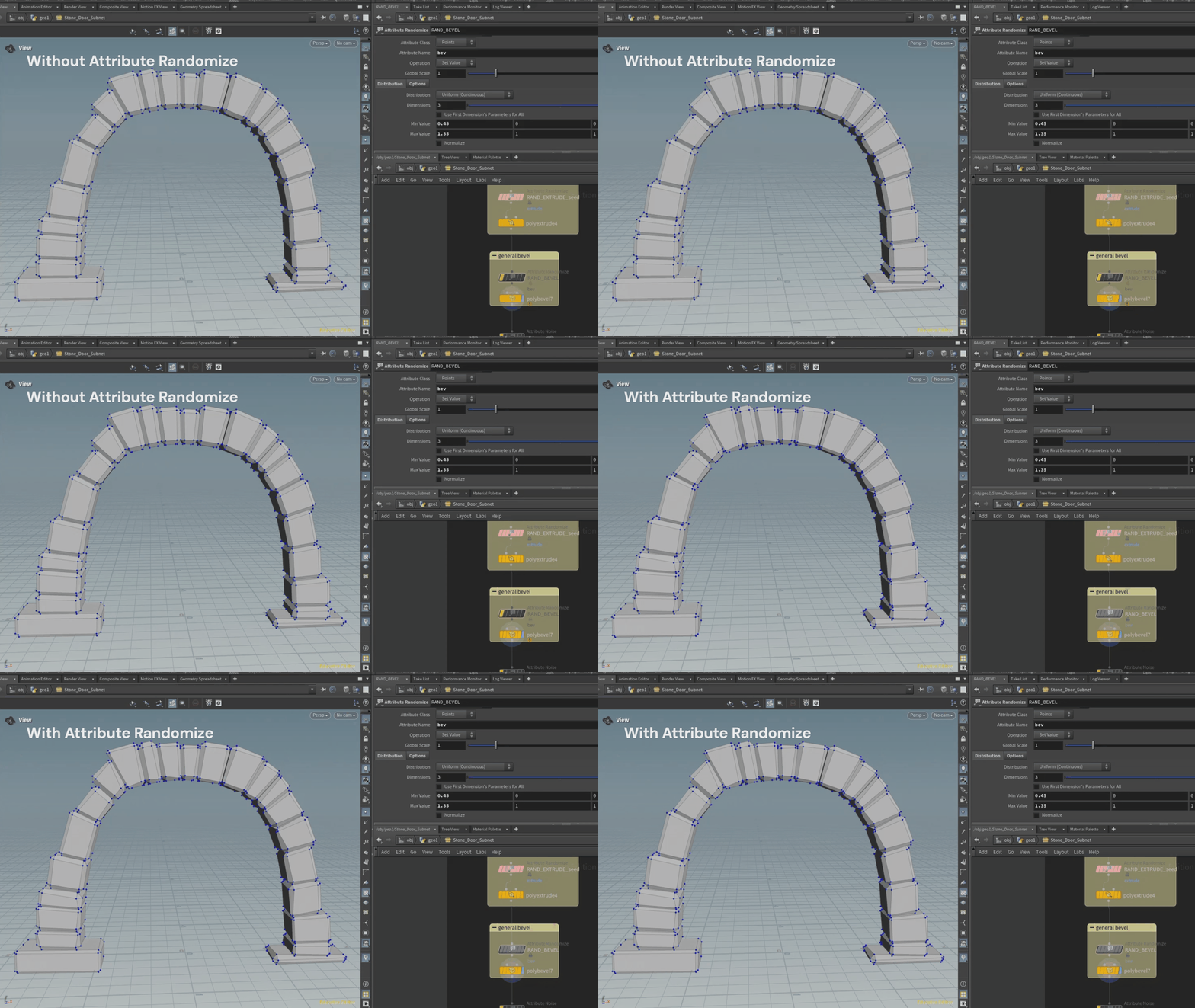
The final step of the arch involved adding a stylized touch by beveling the edges.
A similar Attribute Randomize technique was applied to generate a varied bevel range on each point, resulting in a more handcrafted appearance.
FINAL RENDERS

